RECOVER DELETED CALL HISTORY
Deleted your Call History
accidentally, If you are like me and have done something similar, then you are
certainly not unaccompanied. It happened to me when I was clearing space from
my phone and deleted everything then Had to find a
number the next day that wasn’t saved. From that moment on, I learned to
retrieve previously deleted call history by taking a few smart steps first.
In this article, I will show
you exactly how to ease the process of recovering deleted call history in simple
enough terms for you to understand and recover those lost contacts.
Method 1: recover Deleted
Call History Backup
Here are the steps to follow
- Go to Setting on your phone
- Click on Google
- Click Backup
Ensure that Call History is
being backed up
Note: If you restore a
previous backup any current data may be lost so you should think very carefully
before doing this.
To perform the restore:
- Factory Reset your Device
- After the reset, select Restore from Google Backup
- Select to restore from the
backup created prior to the deletion of the Call History
This may seem like a very
scary thing to do, if your Call History is very important to you, then this is
a very valid option.
If Back Up was enabled prior
to deleting your Call History, then you can use this to restore any data that
was previously save
Method 2: Your Telecom Provider
Many folks are not aware that their telephone or mobile provider has records
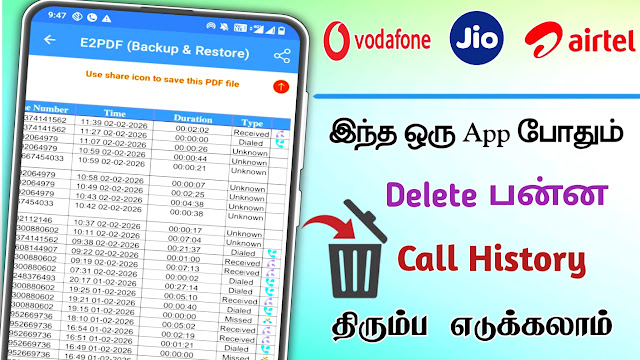
of most or all calls that they made for billing purposes.as an example, in India, both Jio, Airtel, and VI have call history records that their customers can go into their customer accounts and download and print off. Here is an example: When I log into the Jio App, you click on Usage or Call History area to get and download my history.
Typically, the call history will show:
1. Incoming and Outgoing calls
2. Date and timeof calls

Method 2: Software Data Recovery
Utilizing Data Recovery Software is one
method of retrieving deleted data on your phone. There are numerous online
recovery programs that allow you to scan through the internal memory of your
mobile device in order to locate and potentially restore any data that has been
lost due to accidental deletion.
When using these programs, remember
that you must download them only from reputable websites, read customer reviews
prior to installing them, and do not install any third-party apps that require
excessive permissions! Some programs will need to be connected to a computer
while performing an in depth scan before they can present any files for
recovery.
While my experience indicates that
These types of recovery software tend to be more successful if you have
recently deleted the desired files and have limited usage of the mobile device
since deletion, there are never any guarantees of recovering your lost data.